IPTV player for Android TV
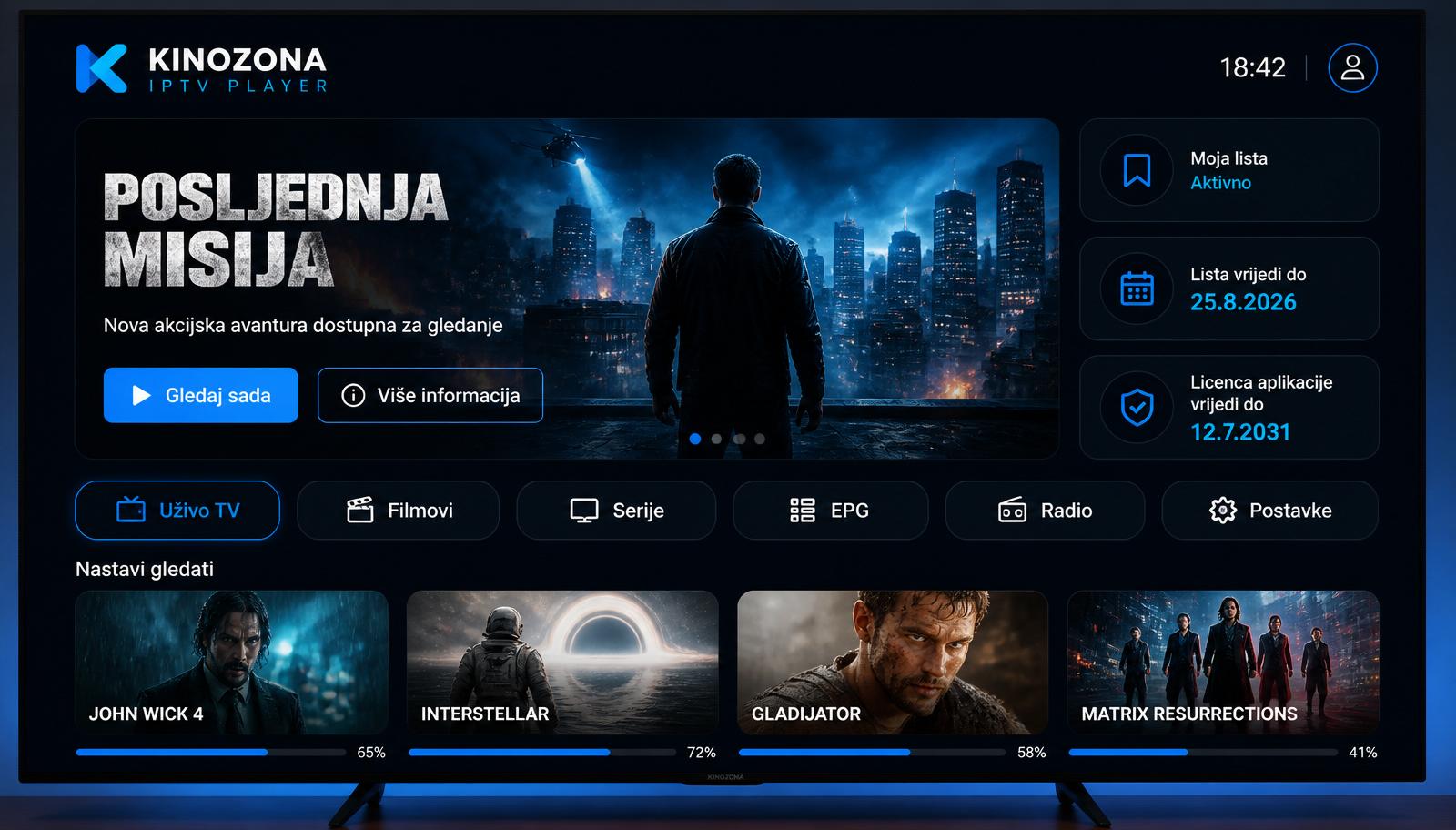
KINOZONA IPTV Player is built for the big screen first: large tiles, clear navigation and full control with just the remote.
Built for the remote
Everything works with the arrow keys and OK: channel list, TV guide, movies, series and settings. No mouse or keyboard needed.
No typing on the TV
Typing a long M3U link with a remote is slow. The app shows a MAC address and PIN instead, and you add the playlist from your phone or computer on the Add playlist page.
Supported devices
Android TV and Google TV sets (for example Sony, Philips, TCL, Xiaomi), Android TV boxes, Google TV Streamer and Amazon Fire TV Stick.
Installing on your TV
Install the app from Google Play on your TV. On Fire TV, download the APK from the Download page using the Downloader app.
Frequently asked questions
Does it work on Fire TV Stick?
Yes, it runs on Fire TV devices with Fire OS based on Android 7.0 or later.
Can I watch catch-up on my TV?
Yes, if your provider supports catch-up you can open past programmes from the TV guide.
Do I need a keyboard?
No. You add the playlist via the website and use the app with your remote.
KINOZONA IPTV Player plays only content that the user adds. It does not include or sell TV channels, movies, series, playlists or IPTV subscriptions.